Log your hours
Run the timer or fill them in later, per engagement and project. Mileage rides along in the same flow.

Your client signs off the timesheet — with a reply to the email or a secure link that needs no account. The approval is stored with a timestamp and travels with the invoice.
Your client is part of the process. No chasing a timesheet afterwards — they approve before you bill.
Run the timer or fill them in later, per engagement and project. Mileage rides along in the same flow.
Email the timesheet. Your client signs off with a reply or via a secure link, without logging in.
Invoice with an hour specification goes out, lines go to your bookkeeping, btw and IB-reservering updated.
Urencriterium, btw payable and IB-reservering sit on your dashboard — not in a spreadsheet you open once a quarter.
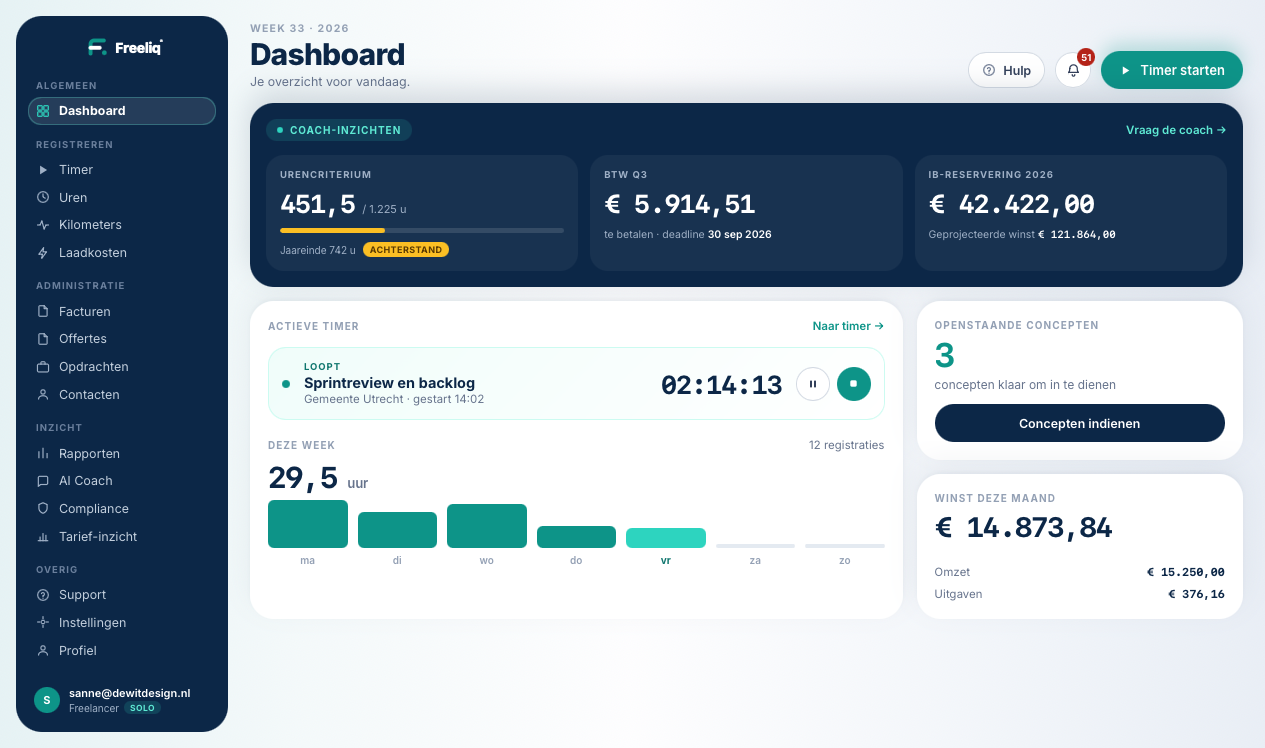
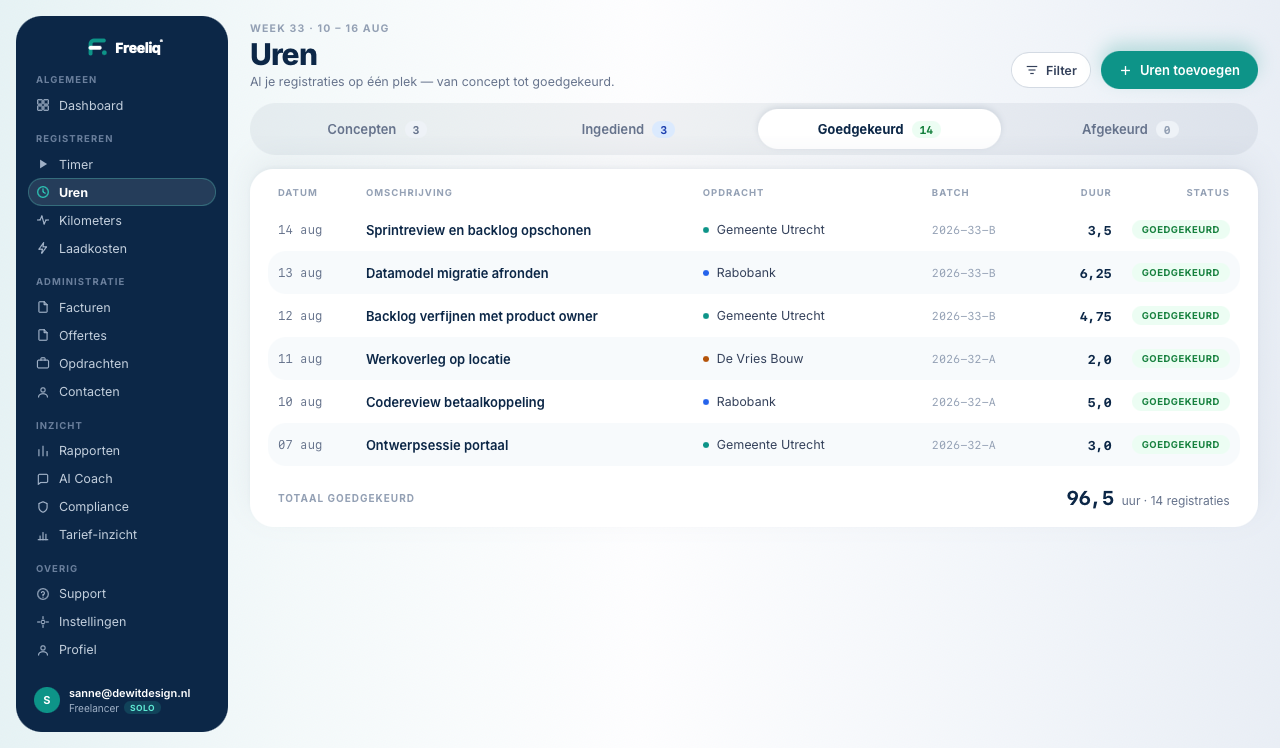
Not ten separate tools and a spreadsheet. One place where it all comes together.
Start and stop per engagement, or fill in a whole week on one screen.
Your client signs off from the email or via a magic link. No account needed.
PDF with your own logo and the hour specification below it. Send and tick off.
Approved lines flow straight through. Your accountant won’t notice the switch.
Business trips at € 0.25 per kilometre, ready to bill on.
Exactly the amounts you file each quarter. And what to set aside.
Watches your numbers and tells you in time what’s drifting.
Time and money per client, project and month. Without the export dance.
Bill per session instead of per hour. Plan them in a week schedule, get them signed off and invoice per unit.
No Excel back and forth, no "could you send that timesheet again". Your client approves whichever way suits them — and that is the evidence under your invoice.
You email the timesheet with a secure link attached. Your client approves or rejects on a single page — no account, no password, from their phone too. The approval becomes an invoice straight away.
Rather not learn anything new? Your client replies "approved" to the email. That reply is read automatically and the timesheet is signed off — with the reply itself kept as proof.

Batch 2026-08 · Acme Corp
Header redesign12,0 u
Component library20,5 u
At the client’s office, at your own kitchen table, or between two engagements.

Hours in on the day itself, not reconstructed from your calendar three weeks later.

Working via an intermediary? They sign off the same way, with the same specification.

Hours, kilometres and invoices on the move as well. Everything syncs along.
No setup fee, no annual contract. Your data can always leave again.
To try it out
0 /mo
no time limit · 30 days of everything, then free forever
Everything you need
12 /mo
incl. VAT · cancel monthly
Straight with a client or through an agency: you log hours, someone approves them and you bill what was agreed. The rest is admin that runs along by itself.




How tracking, approval and invoicing work — and how your bookkeeping stays in sync.
Track hours with a timer or manual entries, submit them, let your client approve by email or a no-login magic link, then generate an invoice from the approved hours. Invoice lines can be pushed to Moneybird or Exact Online.
No. Your client signs off directly from the email or via a secure no-login magic link. Your client never needs an account.
Moneybird and Exact Online for invoicing. Freeliq feeds your bookkeeping — it doesn't replace it — so revenue, VAT and profit stay in the tools you already trust.
The free plan covers time tracking, engagements and projects, basic reporting with Excel export, quotes, tracking your own charging costs, and unlimited invoices — created and sent, e-invoice (UBL) included. Solo is the paid plan: client approval of your timesheet, approval evidence attached to the invoice, payment tracking and reminders, bookkeeping sync, reading in purchase invoices, your own house style, billing mileage on and the deduction, connecting your charger, accountant access, the AI coach, rate insight and the DBA compliance radar.
Yes. Reports export to Excel and PDF, and every invoice is available as a PDF.
Freeliq is built in the Netherlands, KVK & btw-proof. Your financial data lives in your own bookkeeping; backups are encrypted and stored off-site.
Yes. You choose per engagement whether you bill by the hour or per session. For per-session work you define session types with a fixed price — a coaching session or a training half-day, for instance — and invoice quantity × that price. You plan them in a week schedule, have them signed off if needed, and they land on the same invoice as your hours.
Put your first engagement into Freeliq and let your client simply approve the next timesheet.